Menu translator
Read a photographed menu with its item names, prices, and notes together
A restaurant menu is easier to understand when dish names, prices, headings, and small notes stay on the same page. ImageLingua translates the full uploaded image rather than reducing the menu to a plain text list. That gives you a practical reference for a printed menu, café board, takeaway insert, or menu screenshot while you keep the original close by.
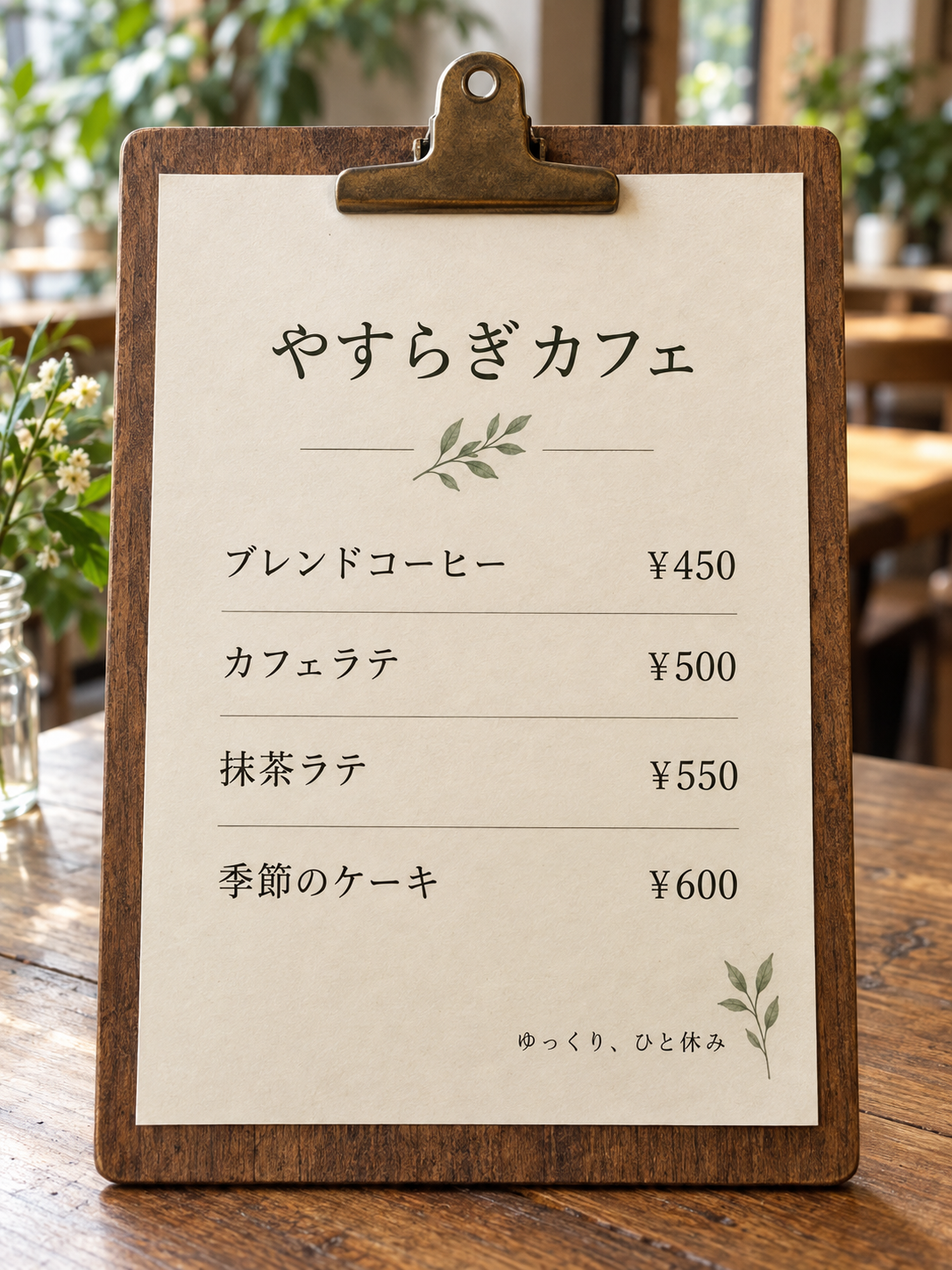
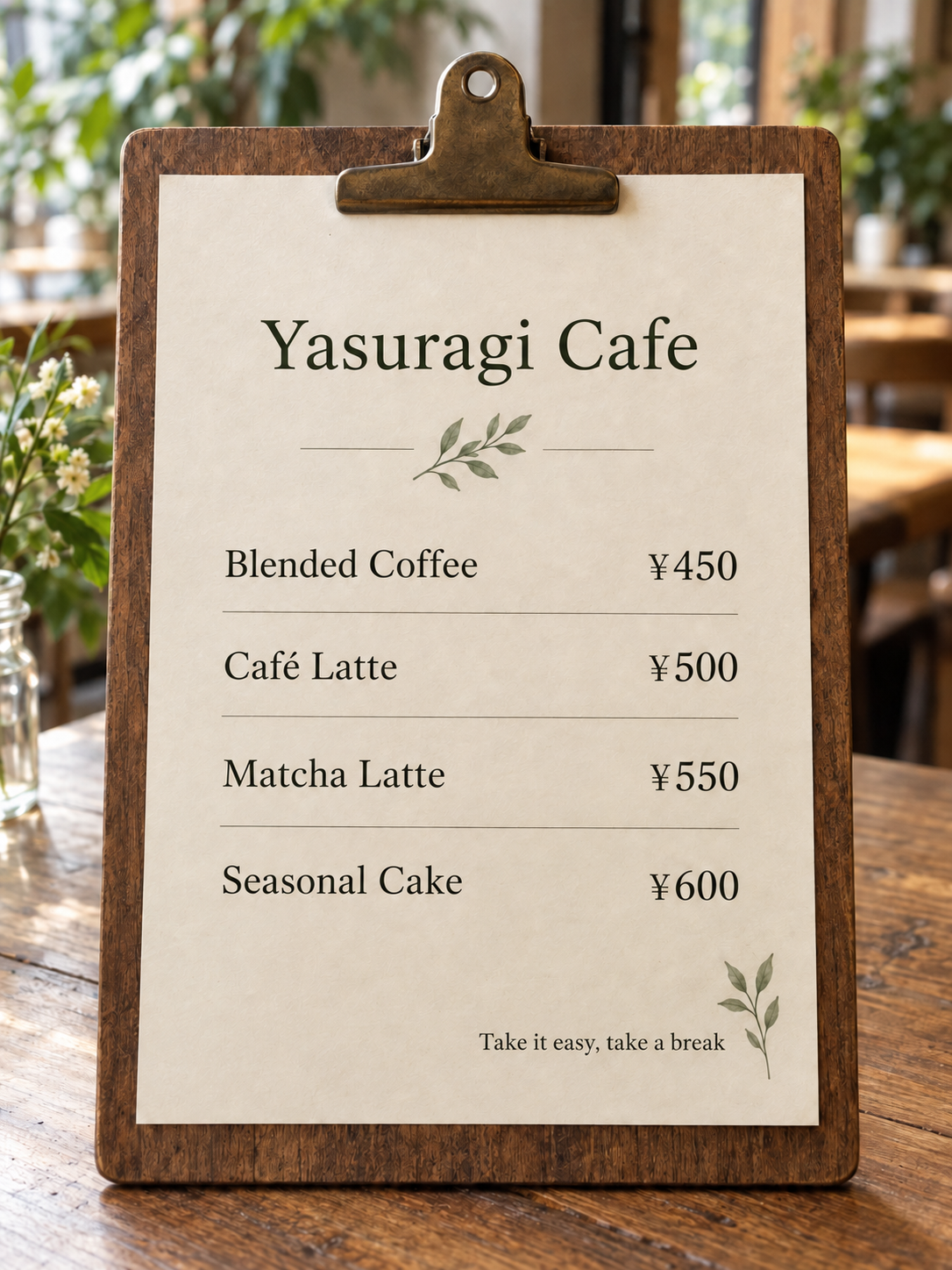
Keep the information that makes a menu useful
On a menu, the words rarely stand alone. A price belongs to a particular dish, a section heading explains a group of items, and a small note can change how an item is served. Upload the whole page when those relationships matter. If a multi-page menu separates drinks, food, and specials, translate each page as its own image so the result stays easy to compare with the source.
The fixed Japanese café menu above is the actual before-and-after example included with ImageLingua. It shows why the visual arrangement matters: the names change into English while the yen prices, line breaks, and menu structure remain visible for review. It is an example of this site's saved sample, not a claim about a specific restaurant or a substitute for checking a current menu in person.
A simple menu translation workflow
Use a clear JPG or PNG photo or screenshot. The current public limits are 10 MB and 20 megapixels, so a well-lit single-page photo usually gives the clearest starting point. Select the target language, sign in with Google when prompted, and run the translation in the same tool used elsewhere on this site.
- Photograph or save the menu page clearly enough that item names and prices are readable.
- Upload the JPG or PNG and choose the language for the person reading it.
- Review the translated dish names, modifiers, prices, and currency against the original.
- Keep the original open when placing an order or sharing information with someone else.
Check prices and ingredient information
A translated image can help with orientation, but menus can contain allergen notes, alcohol information, tax language, service charges, seasonal availability, or regional names that need a second look. Check every price and quantity before you order. If a dish name seems unfamiliar, ask the restaurant or use the original language alongside the translation.
Sign in with Google for one free translation, then see available image packs on Pricing if you need more.